Understanding KnocScore Metrics
Last Updated: October 18, 2026
1. Apples to Apples Industry Comparison
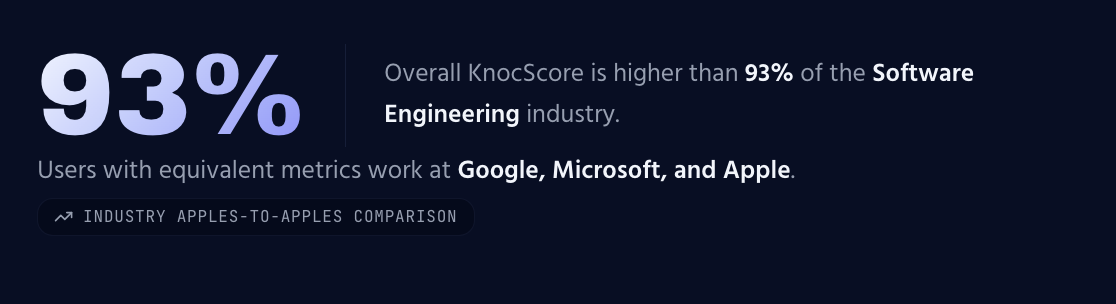
At the top of every KnocScore profile, the header section presents an "Apples to Apples" comparison against others in the same Industry. This gives a quick, honest sense of where a profile stands relative to peers, without mixing results from unrelated fields.
If there is not enough data to provide the understanding. The Apples to Apples comparison may not appear, or it may be represented by a line as a placeholder.
Below the industry percentile, the equivalent users work at statement will appear when sufficient sources allow the comparison to be made.
2. The Evidence-Based Profile Section
Below the header, the Evidence-Based Profile section breaks a person's background into clearly separated categories, each built from the evidence submitted and verified.
- Profile Description — a summary of the person being evaluated.
- Military and Civil Service — service history and related achievements.
- Education — degrees, certificates, and courses as well as institutions these are from. These are not checked. Interactions from learning should appear in the metrics as study or hours of effort and in the graph as particles of evidence.
- Industry — the field or sector the profile is being measured against.
- Employer and Position — current employment and position.
- Athletic Accomplishments — athletic description including achievements and images and links for them.
3. The Gauges Section
The Gauges section visualizes interactions in fields or domains of knowledge based on the selected categories of trust.
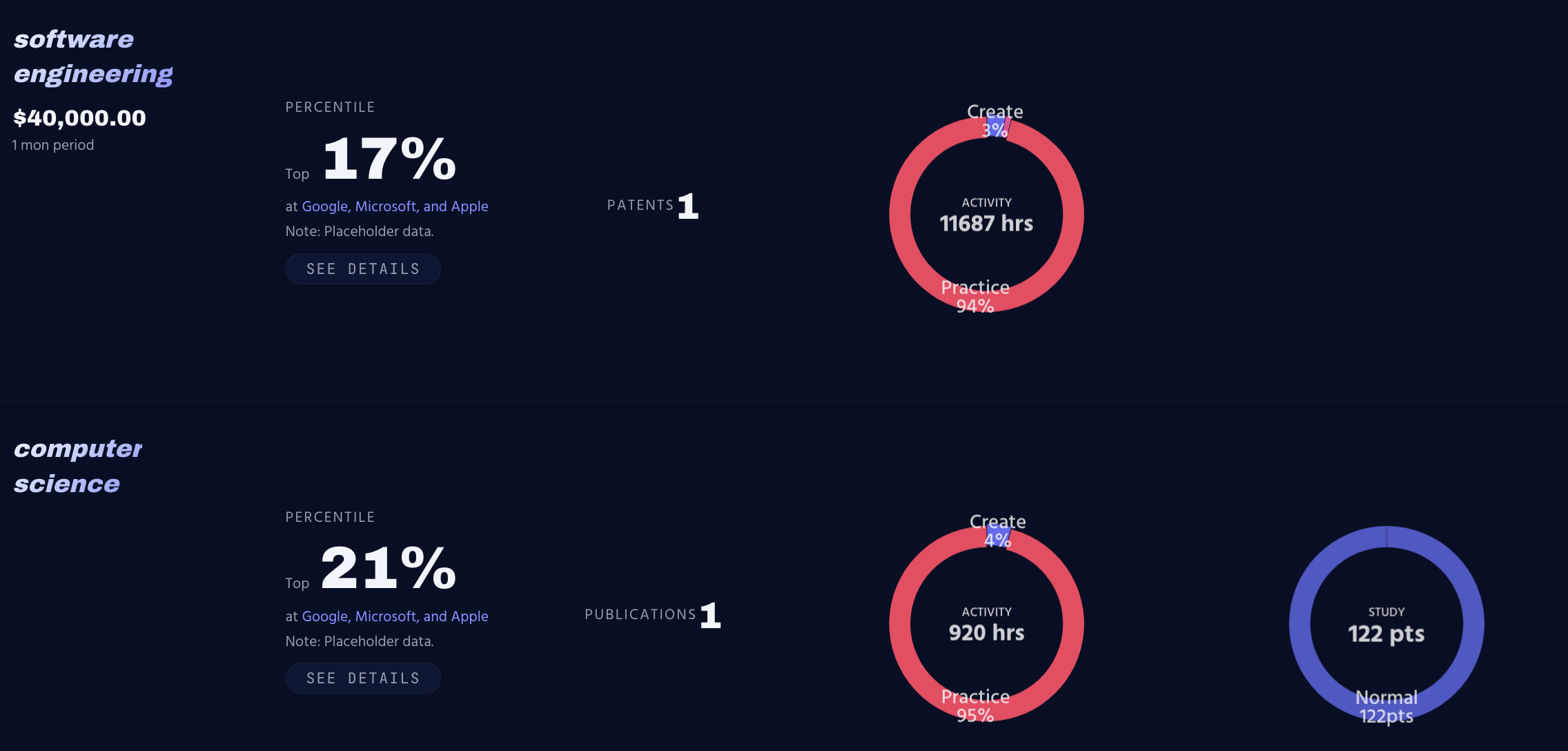
Within the Gauges section, several specific measures are presented:
- Value Earned — a measure of value accrued from verified activity.
- Domain Standings — an Apples to Apples comparison within the selected domain.
- Patents and Publications — recognized intellectual and published contributions.
- Duration / Time in Hours — time invested, broken down by its divisions.
- Study — points earned during study or self testing.
4. The Details Button and People Table
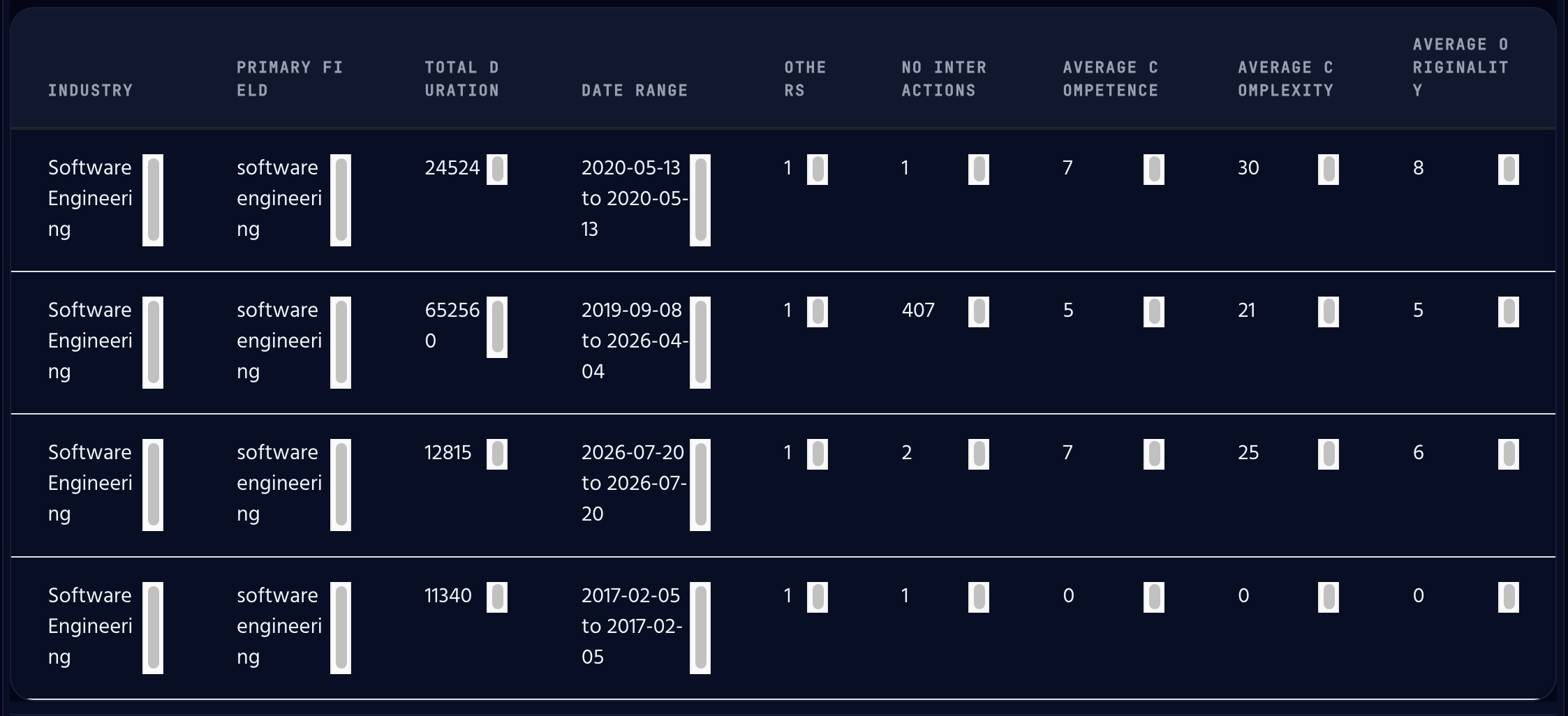
Pressing the Details button reveals the People Table, listing the individuals or entities connected to the evidence behind a gauge.
5. The Demonstrated Field Experience Section
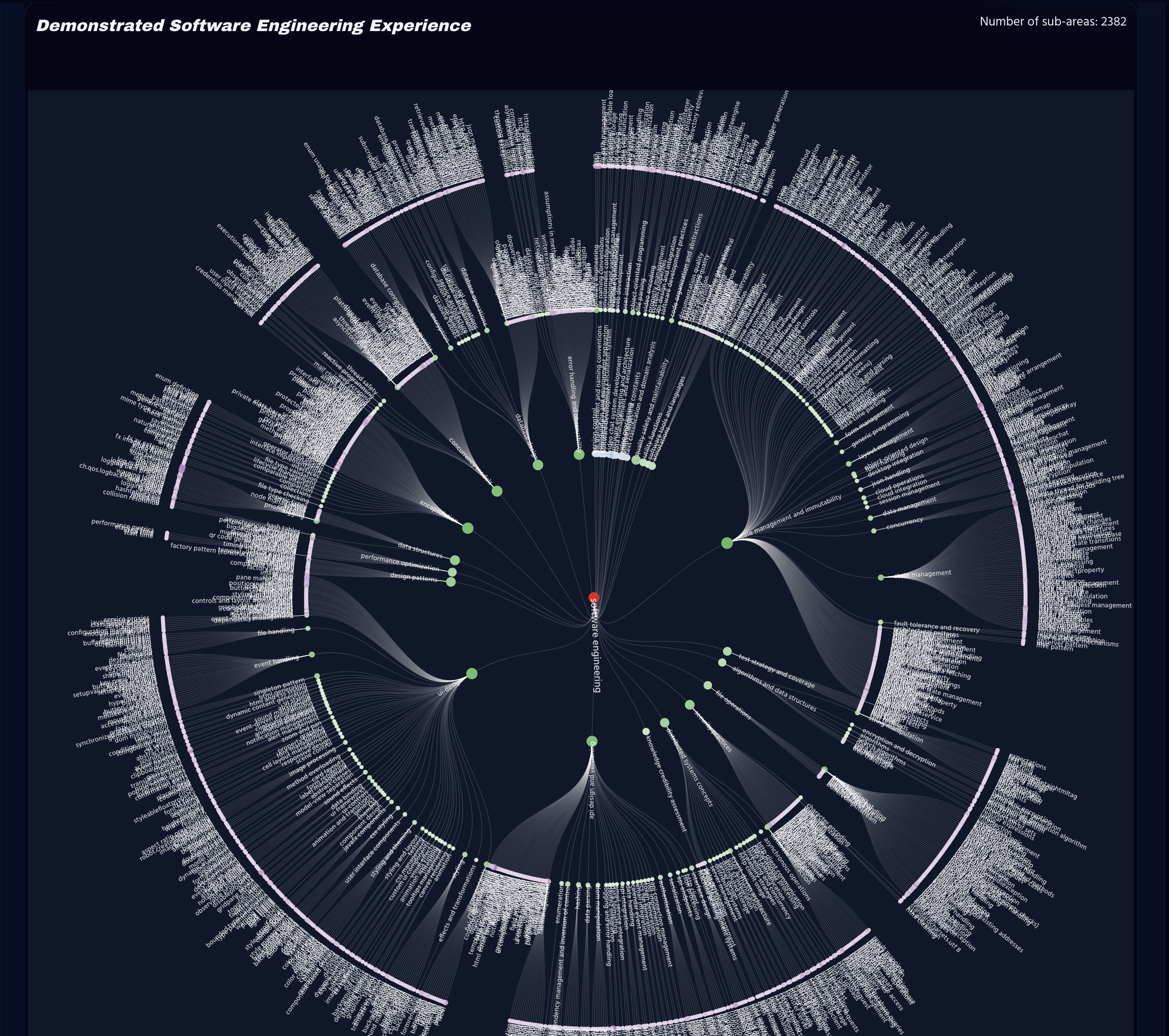
This section provides a Radial Tree Representation of the Knowledge Graph.
A Radial Tree is not a true representation of a Knowledge Graph but it is a well ordered visual understanding to a highly complex structure. It serves the purpose of displaying a knowledge graph in an easily understood method.
| Item | Definition |
|---|---|
| Primary Field |
The primary field is generally in the center of the radial tree. The sub-nodes extend from the Top Level Domain Node. |
| Sub-Fields |
The sub-fields branch out from the Top Level Domain Node. These typically branch out as far as five levels for highly experienced individuals and may only show a depth of three levels for moderately experienced individuals. |
| Density of interactions |
Each node will change in color strength and size depending on the number of times it has been interacted with. This shows density of interactions. This can also be gauged by the number of connected child nodes that extend outward from that node. Note that a radial tree is not a true representation of how data is connected in a knowledge graph and a node may be darker in appearance than the number of child-nodes would provide. |
| Breadth of Interactions |
The number of nodes underneath a sub-node or extending from the root. Breadth is how diverse the individuals interactions have been within that field/domain of knowledge. |
| Depth of Interactions |
The number of rings that extend from the root or a sub-node. Depth displays the relevant sub-fields the individual has interacted with. |
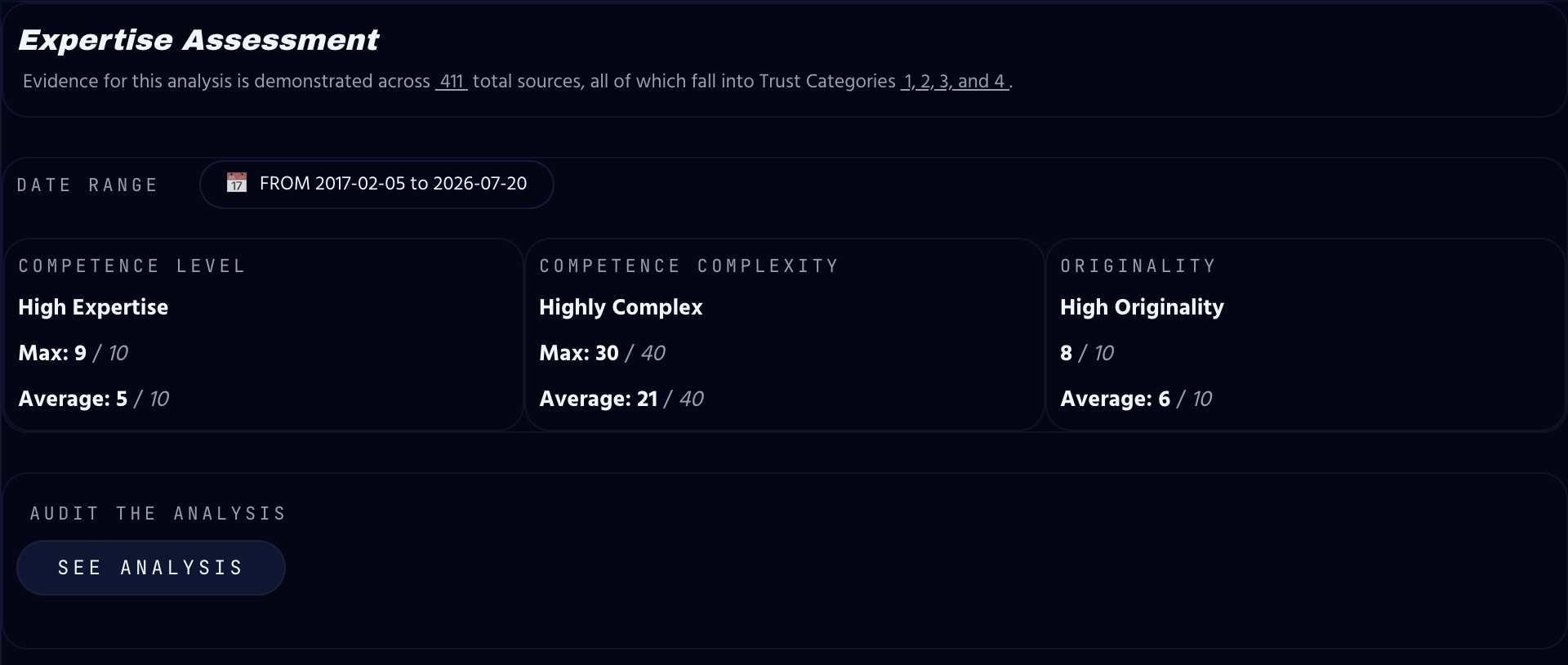
5.1. The Competence Section by Competence Level, Complexity, and Originality
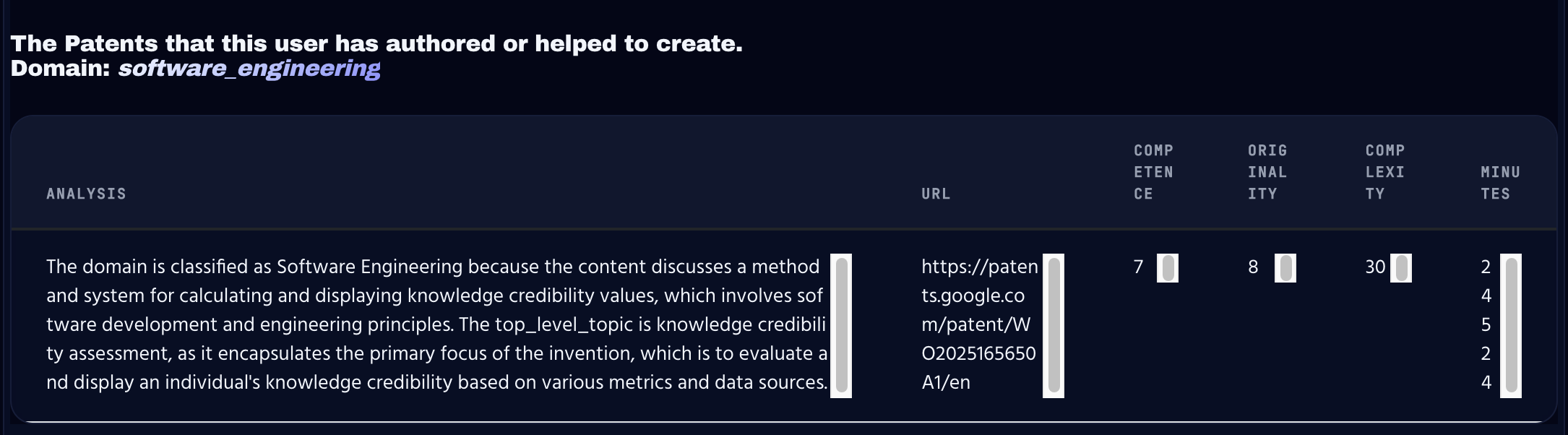
The Details section expands further into Knowledge Tables, divided into their own separate divisions. These tables provide an understanding of the sources behind each data point and an explanation of the analysis used to produce it.
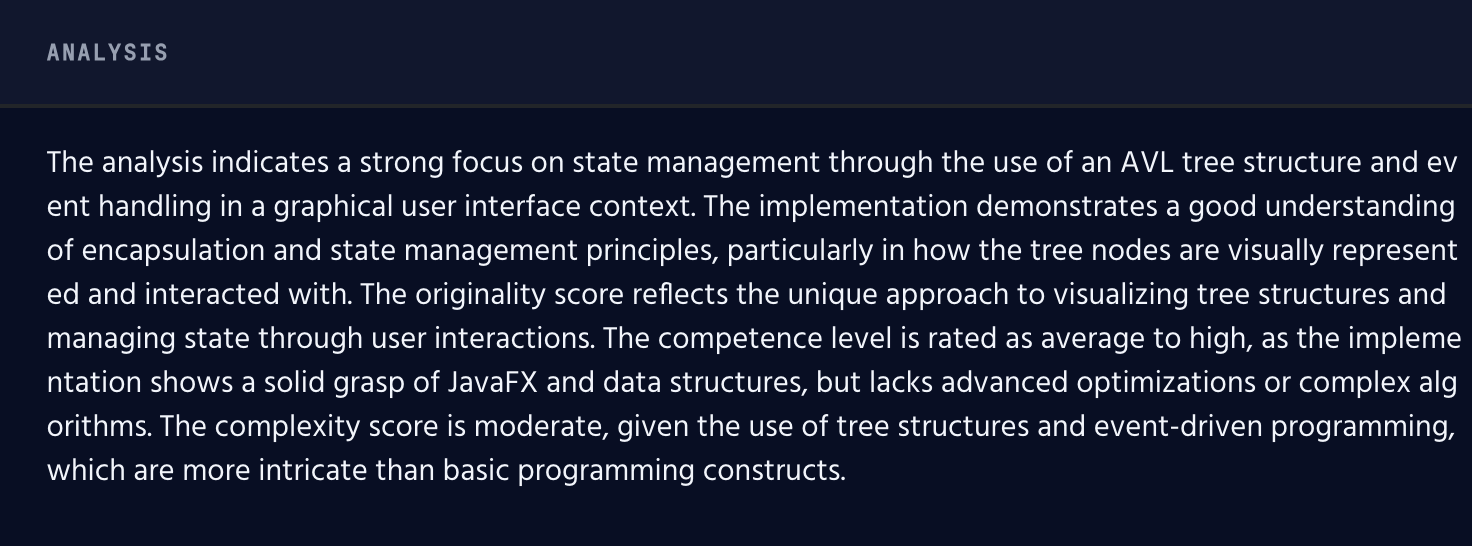
5.2. The Analysis Section
Each particle has an analysis. You may view each analysis to understand why competence, uniquness, and complexity were chosen.
6. Sources, Analysis, and Public Documents
When the underlying data is publicly available — such as a patent or a scanned document — the actual document is provided as a link directly within the Knowledge Tables, so the observer-user can review the source and form their own opinions.